01
Printer marks removed automatically.
PDFs exported from Illustrator with crop marks and color bars open at their trim box, so the size is right the first time.
BUILT FOR PRINT PRODUCTION
Sizing, layout, labeling and image enhancement. Prepare your print jobs in one place with IKSIR Print Suite.
64-bit Windows 10/11 · Internet required for the trial
WHAT IT IS FOR
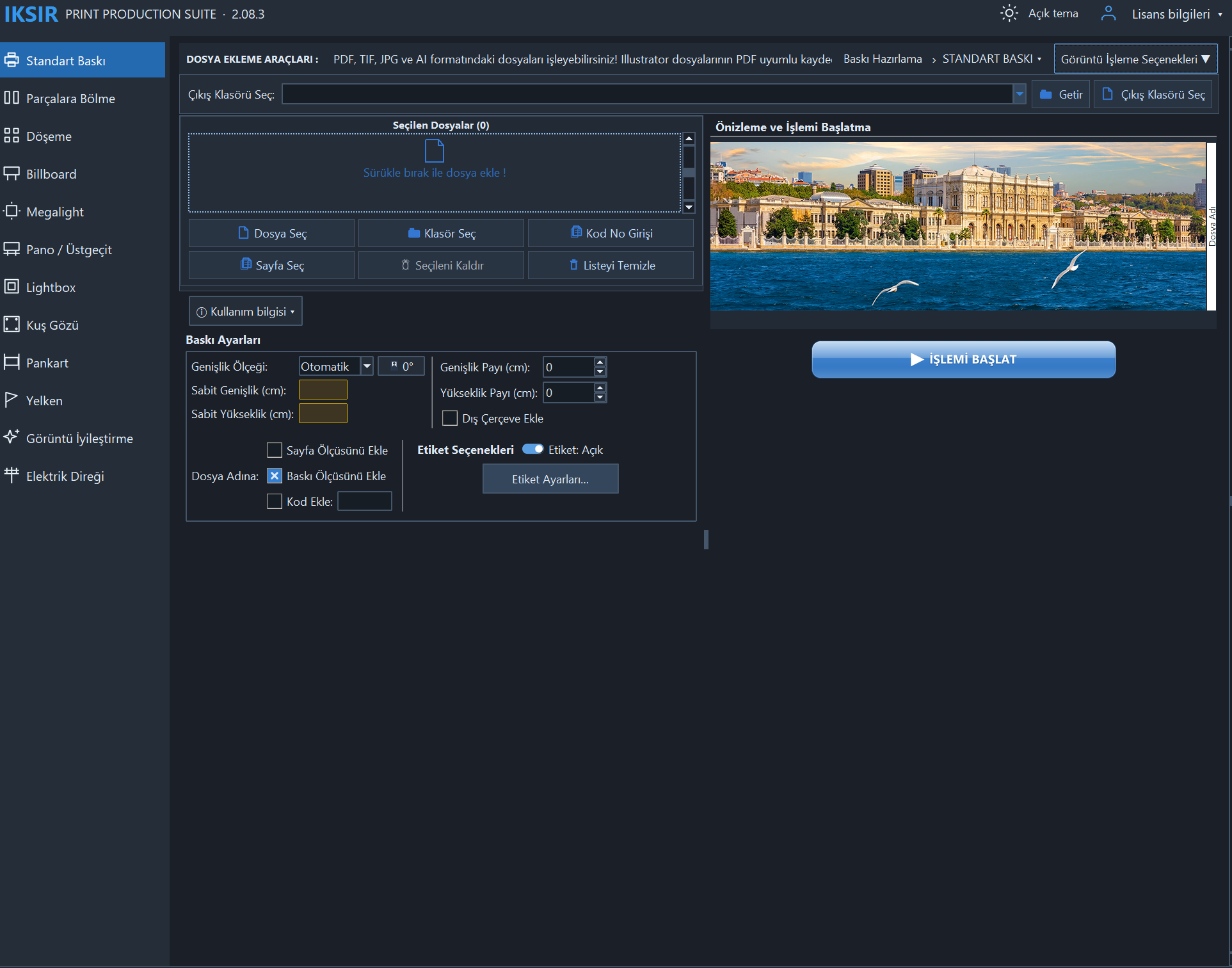
Choose the tab that matches your job; size, label and output options adapt to it. You can see every tab in the screenshots below.
Prepare single or multi-page files at the print size, DPI and color mode you need.
Split large jobs into overlapping panels to fit your material width; label each panel with its number.
Arrange different images side by side to fit the material width and reduce waste.
Split billboard jobs into overlapping sheets marked with letters and numbers.
Work with ready-made Megalight sizes and add Fotoba cut lines with one click.
Add an inside or outside frame to the image; set thickness, color and corner style.
Place eyelet marks automatically based on edge margin and spacing.
Arrange pole-pocket banners side by side based on pole allowance and material width.
Fit the image to a sail flag template and see the pole allowance and safe area in the preview.
Upscale low-resolution images with AI (Real-ESRGAN) or sharpening.
Prepare pole banners with their panels, folding allowances and front and back faces.
DETAILS THAT SAVE TIME
Repetitive preparation steps run automatically so you can focus on printing.
PDFs exported from Illustrator with crop marks and color bars open at their trim box, so the size is right the first time.
Copy the code column from Excel and paste it onto all pages at once; each page is labeled with its own code.
Define size corrections you need often as rules (for example 145 → 143 cm); matching files are adjusted automatically.
Add a folder and start; files are processed in parallel and each file's status is shown in the list.
Add file name, code, page number and size to labels; save the label settings you use often as templates.
RGB or CMYK, embedded ICC profiles, rendering intent and black point compensation; save as TIFF, JPEG or EPS.
INSIDE THE APPLICATION
Real application screenshots. Click an image to see the details. The screenshots show the Turkish interface.
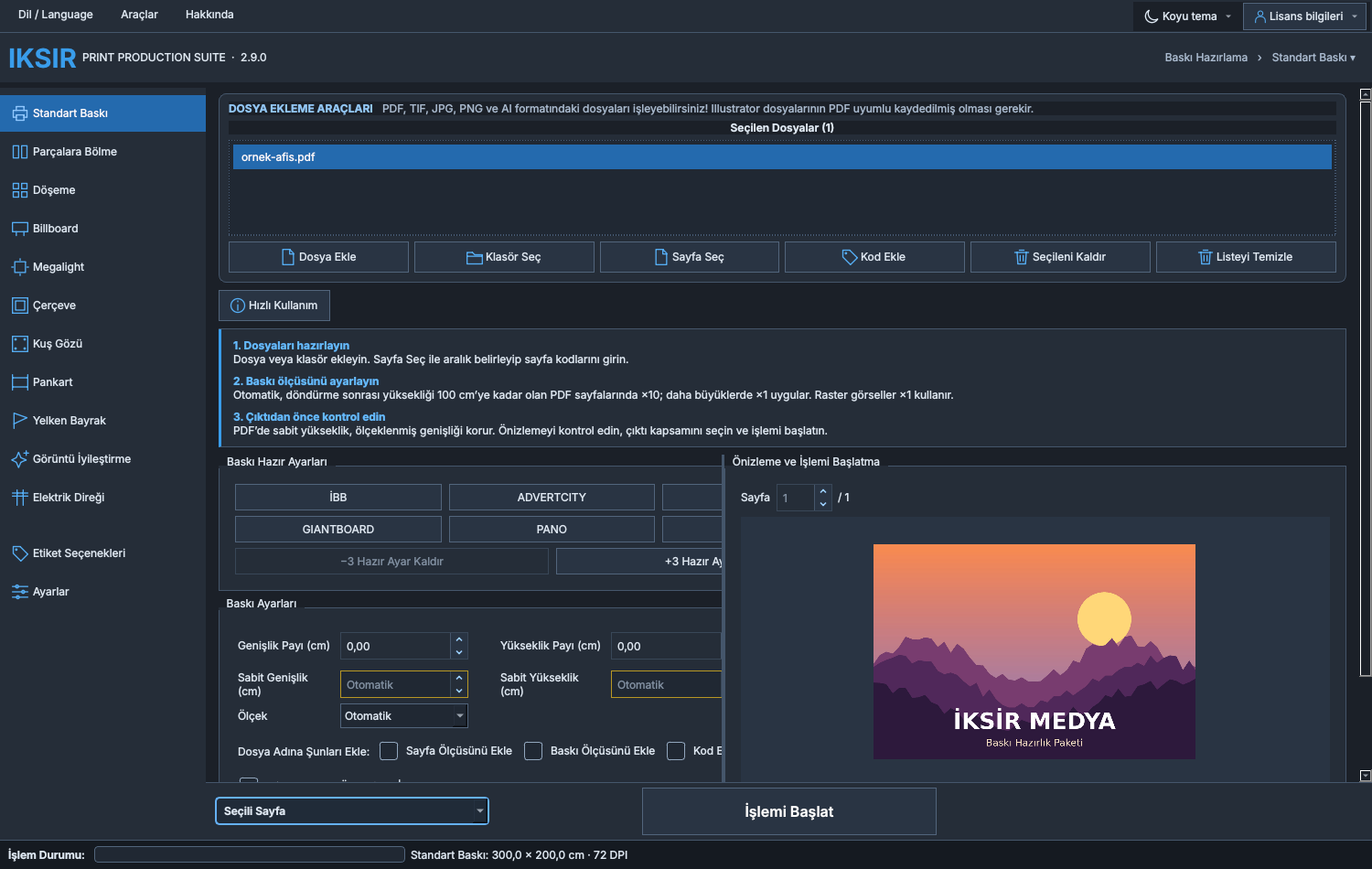
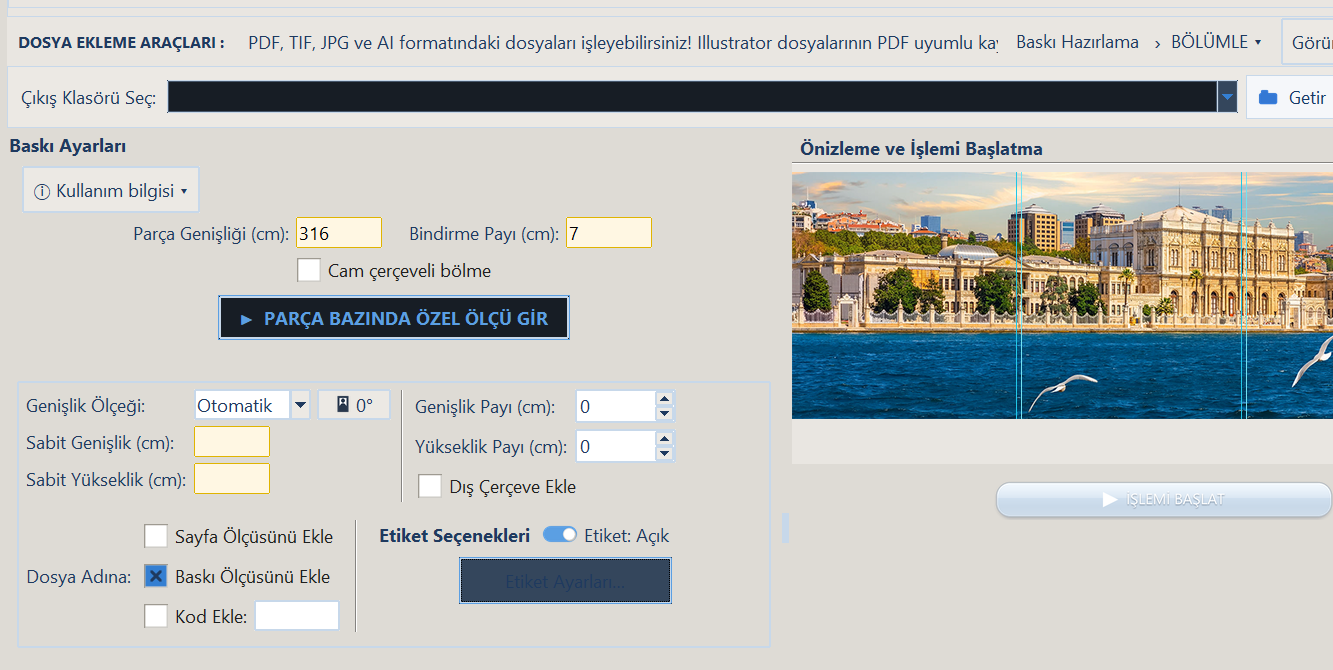
Set panel width and overlap to suit your job.
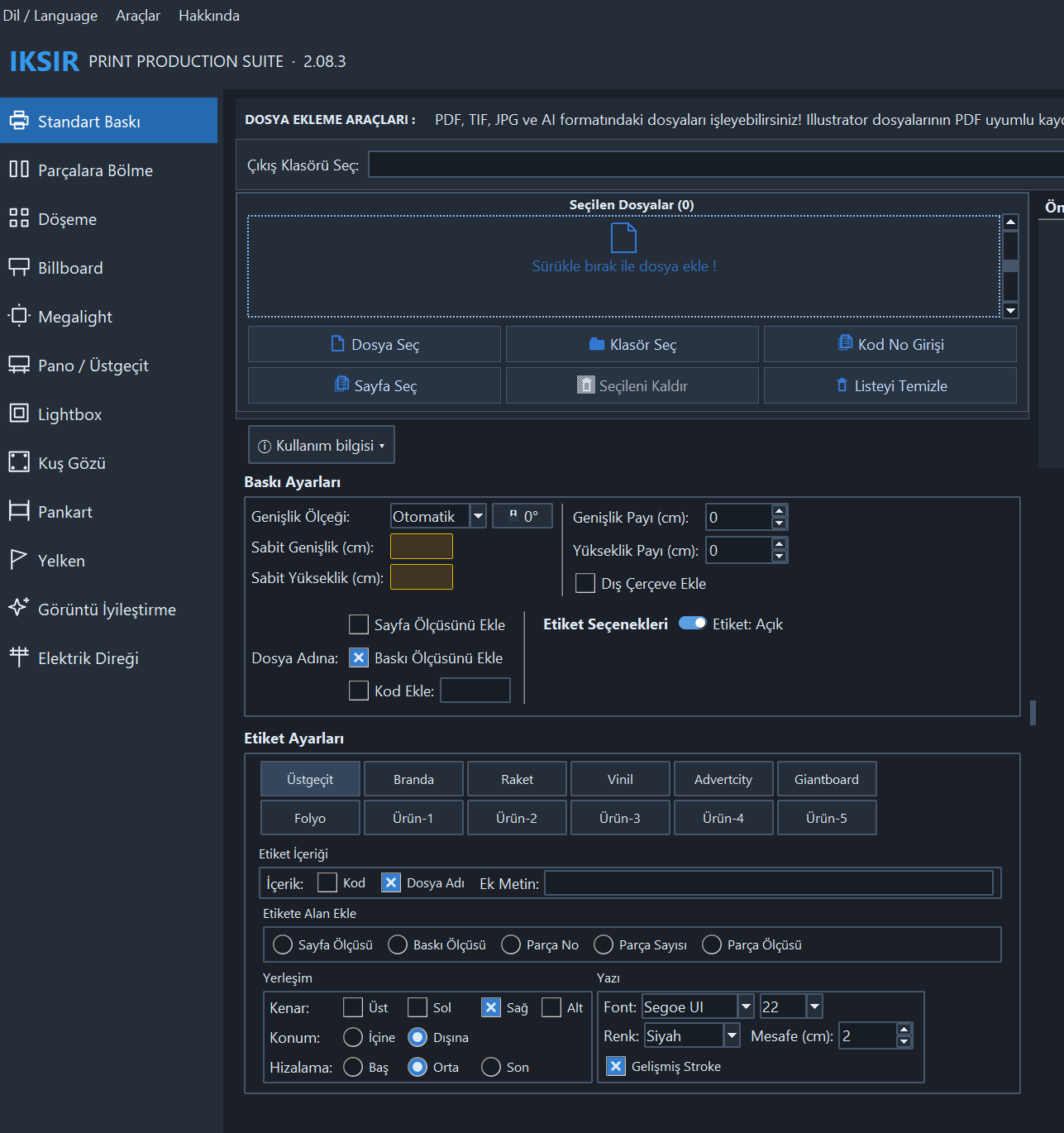
Place file names, dimensions and custom text where you need them.
YOUR FIRST PRINT
Your 30-day trial starts when you activate it in the desktop application.
Request a trialLeave your contact details, then download the current Windows package provided after submitting the form.
Choose the 30-day trial on the activation screen. No license key is required for the trial.
Choose print settings, check the preview and prepare your output.
SYSTEM REQUIREMENTS
COMMON QUESTIONS
Completing the form or downloading the ZIP does not start the trial. The 30-day period begins with your first trial activation in the desktop application. An internet connection is required during trial use.
No. All processing happens on your computer and your print files are never sent over the internet. The connection is only used to verify the trial and license.
The application asks for a license at startup. Your settings and presets stay on your computer, so you can pick up where you left off once you activate a license.
Real-ESRGAN depends on graphics card and driver compatibility. Use the trial to check the results on your computer and images.
Yes. General settings and print presets from the previous version are imported automatically the first time the new version opens.
Open the request form and select “I want to purchase”. We will contact you about the license options.
Send your questions to info@iksirsuite.com.
TRY IT ON YOUR NEXT JOB